
One app. Every device.
The Looping App is where everything comes together. Sign in to access your account, explore the ILM catalogue, launch your ILMs and return to everything connected to them, including your progress, results, CAPs and supporting resources.
Looping moves with you. Access the App from your phone, tablet, Mac or Windows computer, or in your browser, and launch your ILMs across mobile, desktop and VR. Move between supported devices and pick up where you left off.
Two ways to Start Looping.

Organisations
and Educators
For education and training providers who manage learners.
- Schools
- Early learning
- Training providers
- Colleges
- Universities
- Employers
Individuals
and Families
For people learning on their own terms.
- Personal development
- Career and skills development
- Home education
- Parents setting up their children
- Families sharing one account
The work is done before your learners arrive.
Everything Included
Getting learning content is the easy part. Making it usable is the work. Contextualising it for your learners, building it into your LMS as e-learning, authoring the assessments, or writing the lesson plans, activities and resources from the curriculum. That work is yours whether the content was purchased or free, and it starts again every time the requirements change.
With Looping's ILMs, it's already done.

One Licence. Ongoing Access.
License an ILM once and it remains available for as long as your Looping subscription is active, with no need to repurchase it for each new learner. Use it across as many learners as you need, with minor updates included as the ILM is maintained over time.
Adaptive AI Interaction
Adaptive AI works throughout the ILM, responding in real time to what learners say, ask and do. Learners can speak naturally using their own words, with AI interpreting and responding to them in context. It can answer questions, provide guidance when needed and adapt character interactions as the scenario unfolds, creating an experience that responds dynamically to each learner.
Continuous Assessment
Assessment happens throughout the ILM, as part of the experience itself. Learner responses and actions are evaluated against the relevant requirements as they happen, with each attempt contributing to the evidence captured along the way. When a learner gets something wrong, they can try again, learn from the feedback and demonstrate their understanding without breaking the flow of the scenario.
Video Evidence
Each session creates a complete video record of the learner's experience, capturing their interactions, responses and practical performance as they move through the ILM. Evidence is linked to the exact moment it occurs, giving educators and assessors a clear view of what was demonstrated and the context in which it happened.
Video captures the ILM environment and learner audio only. The learner's face and physical surroundings are not recorded.
Converged Assessment Portfolio
Everything captured throughout the ILM comes together in a comprehensive assessment portfolio for each learner. The CAP brings together knowledge responses, practical performance, observations, retries and session evidence with detailed performance analysis, competency analytics, heat maps, feedback and recommended assessment outcomes. A quick-reference mapping overview connects the evidence back to the relevant requirements, giving educators and assessors the context and insight they need to review performance, identify where further support may be needed, and validate or adjust Looping's assessment before confirming the final outcome.
Student Pack
Supporting documents, resources and reference materials for every ILM.
Each ILM comes with a Student Pack that gives learners everything they need to prepare, take part and refer back to afterwards. It brings together guidance on the ILM, unit or subject and scenario, companion reading materials, assessment information, strategies for success, key visual resources and FAQs, all accessible directly through the Looping App.
Educator Pack
Supporting documents, resources and comprehensive mapping for every ILM.
Each ILM comes with an Educator Pack designed specifically for those supporting, delivering and assessing the learning. It provides educator-focused guidance on the ILM, its content and assessment, alongside onboarding and assessor support, practical observation tools and a Converged Assessment Portfolio Overview explaining how to review, interpret and validate the evidence and assessment it contains. The full mapping matrix traces each requirement to where it is addressed and assessed throughout the ILM, giving educators a complete view of the alignment behind the learning and assessment.
Every Device
Access ILMs across VR, iOS, Android, Mac and Windows, with progress carried across supported devices.
Learners can move between devices without losing their place or starting again. Progress, interactions, evidence and assessment remain connected to the learner, allowing an ILM to continue across mobile, desktop and VR while maintaining a continuous learning and assessment record.
Accessible and Inclusive
Built-in accessibility features support diverse learning needs and preferences.
Multimodal by design, learners can speak, select and move through an ILM, with content they can hear, see and read. Subtitles and transcripts support spoken interactions, while Companion Reading Materials are included with every ILM for learners who prefer or benefit from reading alongside the scenario.
Audio can be played at normal, slow or slowest speed. Learners can choose from fonts including Atkinson Hyperlegible, Lexend and OpenDyslexic, with built-in colour filters for protanopia, deuteranopia and tritanopia. Unlimited retries give learners further opportunities to engage, practise and demonstrate their understanding.
Controls adapt to the device, with controllers or hand tracking in VR, a joystick or D-pad on tablets, and keyboard or on-screen joystick controls on computers.
Multilingual Support
Looping speaks your language. ILMs can be delivered in more than 75 languages, with characters that speak, listen and respond in the learner's chosen language. Evidence and reporting can also be generated in that language, creating a more accessible experience from learning through to assessment.
Languages can be added to an ILM on request, with the catalogue showing the languages currently available for each one. If the language you need isn't listed yet, get in touch.
What comes with every ILM
Every ILM. Two packs.
Every ILM licensed by your organisation comes with dedicated Student and Educator Packs, available in Resources through the Looping App.

Educator Pack
Student Pack
Anyone can Start Looping.
Learning on Your Own
For individual learners looking to develop skills, learn languages or explore professional development. There's no subscription and no establishment fee. Purchase an ILM when you want it, with the session fee included, and access it on VR, desktop, iOS and Android as many times as you need until it's complete. Your Converged Assessment Portfolio stays in your account.
Once an ILM is completed it needs to be repurchased for a new session, at a discounted rate.
Adaptive AI Interaction
Adaptive AI works throughout the ILM, responding in real time to what learners say, ask and do. Learners can speak naturally using their own words, with AI interpreting and responding to them in context. It can answer questions, provide guidance when needed and adapt character interactions as the scenario unfolds, creating an experience that responds dynamically to each learner.
Converged Assessment Portfolio
Everything captured throughout the ILM comes together in a comprehensive assessment portfolio for each learner. The CAP brings together knowledge responses, practical performance, observations, retries and session evidence with detailed performance analysis, competency analytics, heat maps, feedback and recommended assessment outcomes. A quick-reference mapping overview connects the evidence back to the relevant requirements, giving educators and assessors the context and insight they need to review performance, identify where further support may be needed, and validate or adjust Looping's assessment before confirming the final outcome.
Video Evidence
Each session creates a complete video record of the learner's experience, capturing their interactions, responses and practical performance as they move through the ILM. Evidence is linked to the exact moment it occurs, giving educators and assessors a clear view of what was demonstrated and the context in which it happened.
Video captures the ILM environment and learner audio only. The learner's face and physical surroundings are not recorded.
Student Pack
Supporting documents, resources and reference materials for every ILM.
Each ILM comes with a Student Pack that gives learners everything they need to prepare, take part and refer back to afterwards. It brings together guidance on the ILM, unit or subject and scenario, companion reading materials, assessment information, strategies for success, key visual resources and FAQs, all accessible directly through the Looping App.
Every Device
Access ILMs across VR, iOS, Android, Mac and Windows, with progress carried across supported devices.
Learners can move between devices without losing their place or starting again. Progress, interactions, evidence and assessment remain connected to the learner, allowing an ILM to continue across mobile, desktop and VR while maintaining a continuous learning and assessment record.
Multilingual Support
Looping speaks your language. ILMs can be delivered in more than 75 languages, with characters that speak, listen and respond in the learner's chosen language. Evidence and reporting can also be generated in that language, creating a more accessible experience from learning through to assessment.
Languages can be added to an ILM on request, with the catalogue showing the languages currently available for each one. If the language you need isn't listed yet, get in touch.
What comes with every ILM
Your Student Pack.
Every ILM comes with its own pack of documents to read before, during and after.

Take a look inside.
Tap any icon to see what that page does.
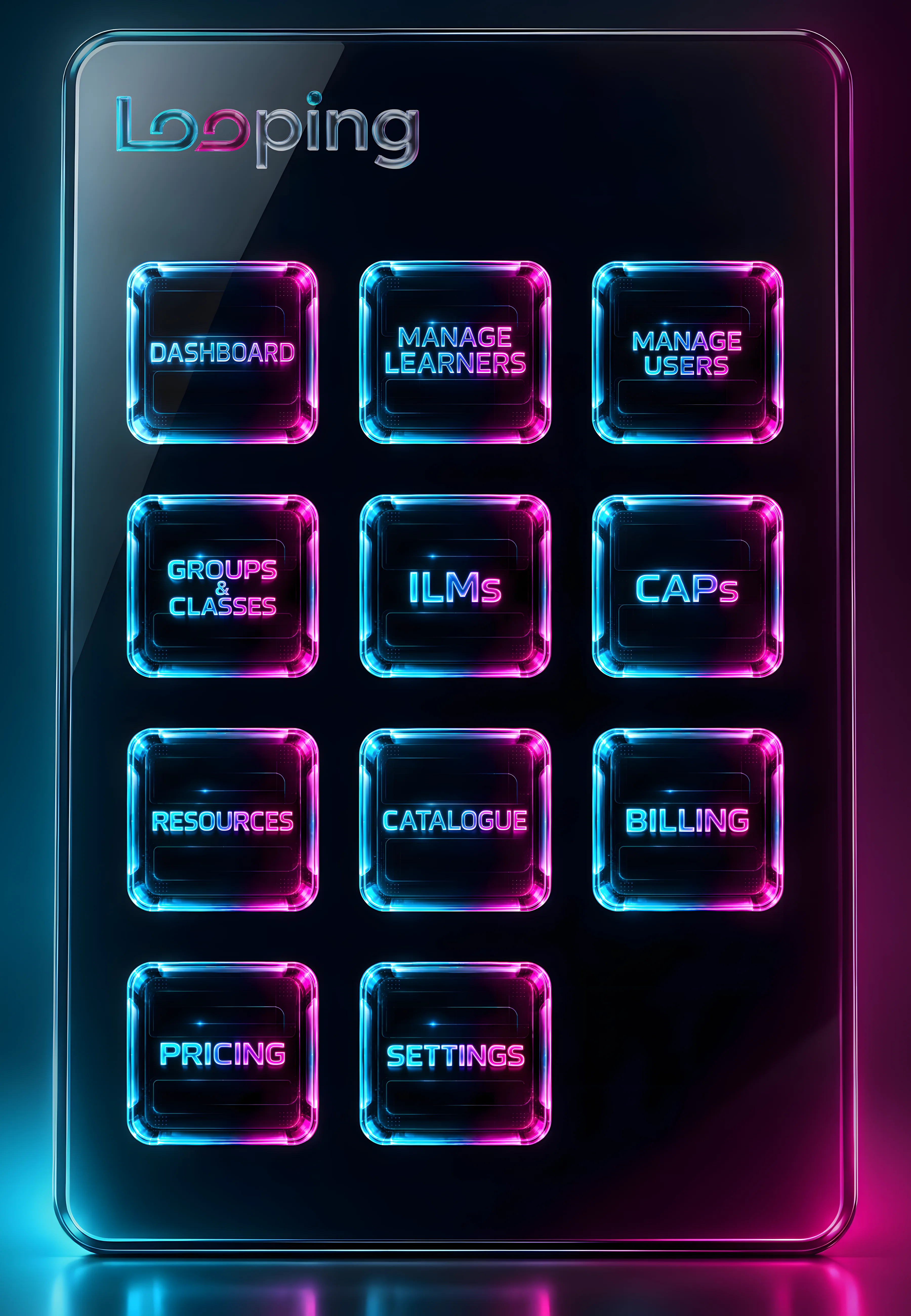


Dashboard
The Dashboard brings together a snapshot of activity across your organisation, helping admins see how learners are progressing, where engagement may need attention and what requires action.
The page brings together an organisation overview, learner progress and engagement insights, CAPs requiring attention and recent activity, giving admins visibility across the areas that matter without having to work through individual learner or assessment records.
Overview
The Overview presents current totals for learners, active learners, users, licensed ILMs and CAPs awaiting validation, alongside the organisation's subscription tier. Each links directly to the corresponding area of the Looping App, making it easy to move from the broader picture to where more detail or action is needed.
Data Visualisation
The Learner Progress section brings together three views of learner activity. Progress shows how many learners haven't started, are currently in progress or have completed. Engagement highlights learners who haven't signed in, have signed in but not started, don't have an ILM assigned or haven't accessed Looping in the past 30 days. Completion by ILM shows learner completion across each licensed ILM. Together, these views help admins keep track of participation and completion, identify gaps in engagement and recognise where learners may need follow-up.
Activity & Attention
Needs Attention brings CAPs awaiting validation to the forefront, helping admins keep outstanding assessment activity from being overlooked. Recent Activity complements this with the latest learner completions and additions to the organisation, providing an immediate view of what's been happening across Looping.
Manage Learners
Manage Learners brings learner administration into one place, giving admins a clear view of each learner, their assigned ILMs, progress, activity and CAP status.
Add and Manage Learners
Learners can be added individually or imported in bulk using a CSV file, with LMS integration available for organisations managing learner information through existing systems. From the same page, admins can assign ILMs and manage learner access, including archiving, restoring and, where available, deleting learner accounts.
Find Learners and Follow Progress
Search by learner name or ID, or filter learners by ILM, group or class. Each learner card brings together their key information, including last sign-in, assigned ILMs, progress and CAP status, with direct access to common actions such as assigning an ILM or resetting a password.
Active, inactive and archived learners can also be viewed and managed from the page, making it easy to see who is currently learning and who remains on the organisation's records.
Manage Users
Manage Users gives organisations control over who can access and manage Looping, with users added individually or imported in bulk using a CSV file.
Users & Access
Admins can add and manage users, assign or change roles, and archive or restore access as people join, leave or change responsibilities within the organisation. Users can be viewed individually, by group or class, by assigned ILM, or through the archive, making it easy to find users and see where responsibilities sit across the organisation.
Roles & Permissions
Admin, Educator and Learner roles provide different levels of access across Looping, keeping platform access aligned with each person's responsibilities. Users can hold more than one role and switch between them, providing flexibility for people who work across different functions.
Groups and Classes
Groups & Classes gives organisations a flexible way to organise learners and manage them collectively, whether by class, cohort, intake or another structure that suits the organisation.
Organise Learners
Learners can be brought together into groups or classes, making it easier to manage larger cohorts without working learner by learner. Organisations can create as many groups as needed, including separate intakes completing the same ILM.
Groups and classes can be searched by name and viewed from different perspectives, including the groups themselves, the learners assigned to them and the staff responsible for them. This gives admins a clear view of how learners and staff are organised across the organisation and makes it easy to move between each relationship.
Assign ILMs & Educators
ILMs can be assigned to an entire group at once, while educators can be assigned responsibility for validating the group's CAPs. Different groups completing the same ILM can have their own educators, giving organisations flexibility to manage delivery and assessment across multiple classes or intakes.
ILMs
ILMs brings together all of the Immersive Learning Modules licensed by the organisation, providing a central view of what is available to learners and how each ILM is being used.
Licensed ILMs
Each licensed ILM is displayed with its subject area, level and number of acts, alongside current enrolment numbers. This gives admins a clear view of the organisation's ILM library and learner participation across it.
ILM Overview
Opening an ILM provides a detailed overview of the module, including what it covers, its level, language and overall structure. Each act is presented individually and can be expanded to explore what learners will encounter, the learning and assessment covered, and how the ILM progresses from one act to the next.
This gives admins and educators visibility into the learning their learners are undertaking without needing to enter the ILM itself.
Enrolment & Completion
Each ILM also provides a current view of learner activity, including how many learners are enrolled, how many have completed and recent commencements. This makes it easy to see participation and completion for a specific ILM alongside the content being delivered.
The Educator Pack can also be accessed directly from the ILM, bringing the supporting educator resources for that module within easy reach.
CAPs
CAPs brings every Converged Assessment Portfolio across the organisation into one place, giving admins and educators a clear view of assessment progress and what requires attention.
CAP Overview
CAPs are organised by status, with totals showing overall activity and portfolios awaiting validation. CAPs requiring attention are surfaced first, and admins can assign them to educators for validation, helping keep assessment review organised and moving.
Review & Validate
Educators can open assigned CAPs to review the portfolio and session recording, add their validation decisions and comments, and release the completed CAP to the learner.
Resources
Resources brings together the supporting materials for every ILM licensed by the organisation, organised by ILM so everything is easy to find and access.
Educator & Student Packs
Each ILM includes an Educator Pack and Student Pack, and admins have access to both. The Educator Pack contains the information and resources provided to support delivery and assessment, while the Student Pack contains the information and resources provided to learners for that ILM.
Depending on the pack, resources include ILM and act overviews, mapping information, assessor support guides, practical observation checklists, learner guides, FAQs and supplementary materials.
Catalogue
The Catalogue is where organisations can explore the full range of ILMs available through Looping, including those already licensed and those available to add.
Explore Available ILMs
ILMs can be searched or browsed by category, with an overview of each available directly from the Catalogue. Organisations can quickly see what they already have licensed and explore other ILMs that may suit their learners.
ILM Details
Each ILM can be opened for a closer look at what it includes, with information about its content, level, available languages and number of acts, along with a breakdown of what learners will cover in each act. This gives organisations a clear understanding of the ILM before deciding whether to license it.
Billing
Billing gives admins a clear view of the organisation's subscription, usage and costs, with current charges and previous billing activity brought together in one place.
Subscription & Usage
Admins can see their current subscription tier, active learner capacity and how much of that capacity is being used. Session usage is tracked as it occurs, with new sessions and associated fees visible throughout the billing period.
Billing History & Invoices
Current unbilled fees and the estimated next invoice can be reviewed at any time, with session charges broken down to show the usage behind them. Previous charges and invoices are also available from the same page, making it easy to track costs over time and access past billing information.
Pricing
A transparent overview of Looping's organisation pricing, so admins can see exactly how ILM licensing, session fees and monthly plans are priced. Compare subscription and pay as you go options, see what's included, check pricing against current charges, and understand how costs change as learner numbers or plan requirements change.
Settings
Where users manage their account security, including their password and recovery email, and access support when they need help. Notification preferences are set here too, so users can choose whether to receive an email when a CAP is ready. Account deletion is also available directly within Settings, giving users a clear way to permanently delete their account and associated data.
Dashboard
The Dashboard is the learner's central hub in Looping, bringing together their current ILMs, progress, completed learning and Converged Assessment Portfolios in one place.
Overview
The Overview provides a snapshot of the learner's activity across Looping, showing how many ILMs they currently have in progress, how many they have completed, the total number of acts they have completed and how many CAPs are available to them.
In Progress
Each ILM currently underway is shown with its individual progress, so learners can immediately see how far they have progressed through both the ILM and their portfolio. Opening an ILM provides a closer view of their progress, including how many acts they have completed, which acts are complete and their overall completion percentage.
From the same view, learners can continue the ILM from where they left off or access the Student Pack and supporting resources for that ILM.
Completed
Completed ILMs remain available so learners can return to the ILM overview and revisit what was covered across its acts. Once the associated CAP is available, learners can also open their completed Converged Assessment Portfolio directly from the Dashboard to review their assessment outcomes and evidence.
ILMs
Learners see the ILMs your organisation has assigned to them, and only those. Their progress saves as they go, so they can stop and pick up where they left off on any device.
CAP
When an educator has validated a learner's CAP, the final report is released to the learner. They can open it from their dashboard and watch their own session recordings.
A learner only ever sees their own CAP.
Groups and Classes
Groups & Classes shows learners how their learning is organised within their organisation, including the groups or classes they belong to, the ILM assigned to each and the educator responsible for their group.
This gives learners a clear connection between the ILMs they are completing, the class or group they are part of and the educator overseeing their learning and assessment.
Resources
Resources brings together the supporting materials available to the learner for each of their ILMs, organised by ILM so everything is easy to find and access.
Each ILM includes a dedicated Student Pack containing the information and resources provided to support the learner before, during and alongside their ILM. Depending on the ILM, this can include unit and scenario overviews, act breakdowns, learner guides, key visual resources, FAQs, companion reading and other supplementary materials.
Settings
Settings is where learners manage their account security and access, including their password and recovery email, with help and support also available when needed.
Dashboard
The Dashboard brings together everything happening across your Looping account, with a clear view of what's in progress, what's been completed and how you're progressing across your ILMs.
Overview
The Overview provides a snapshot of your activity, including ILMs in progress and completed, acts completed and Converged Assessment Portfolios available, alongside your overall progress across Looping.
In Progress
Each ILM in progress shows how far you've progressed through the ILM and your portfolio. Open an ILM for a detailed breakdown of the acts you've completed, what remains and your overall percentage progress, with direct access to continue where you left off or view the accompanying Student Pack.
Completed
Completed ILMs remain available to revisit, including the ILM overview and breakdown of its acts. Once the associated CAP is available, you can open your Converged Assessment Portfolio directly from the Dashboard to review the assessment outcomes and evidence captured throughout the ILM.
ILMs
ILMs brings together the ILMs purchased through your Looping account and the learners who have access to them.
From here, you can view your purchased ILMs, see who each ILM has been assigned to and manage access across the learner profiles connected to your account. Each learner's progress, evidence and results remain attached to their individual Learner ID, keeping their learning separate even when multiple learners are using the same account.
CAP
When you finish an ILM, your Converged Assessment Portfolio is put together for you. Open the report from your dashboard and watch your own session recordings.
If you manage learners, you can review their reports too.
Resources
Resources brings together the supporting materials included with your purchased ILMs, organised by ILM so you can go directly to the resources relevant to each one.
Depending on the ILM, these can include Student and Educator Packs, complete unit or subject overviews, scenario and act breakdowns, guides, key visual resources, FAQs, companion reading and other supplementary materials. Everything supplied alongside an ILM remains available here for reference before, during and after the ILM is completed.
Settings
Settings is where you manage your account security and access, including your password and recovery email, with help and support also available when needed.
Manage Learners
Create and manage individual learner profiles under your Looping ID, whether you're using Looping yourself, managing access for your children, or both. Each person receives their own Learner ID, keeping their ILMs, progress, evidence and results separate while everything remains connected to your account.
How Learners Sign In
You can choose how each learner accesses Looping. Managed by Me lets you sign the learner in yourself, while Own Password allows them to sign in independently using their own password.
Parental Controls
You stay in charge of what they can do. Learners you manage, like your children, don't see the Catalogue and can't select ILMs for themselves. You choose the ILMs and assign them.
Add and Manage Learners
From here, you can add new learners, view and manage existing learner profiles, and archive learners you no longer need active, with the option to restore them later.
Catalogue
The Catalogue is where you can explore Looping's ready-to-use ILMs and find the ones that suit what you or your learners want to learn.
Explore Available ILMs
ILMs can be searched or browsed by category, with an overview of each available directly from the Catalogue.
ILM Details
Each ILM provides further information about what it covers, its level, the scenario and what's included, so you can understand the ILM before purchasing it. Once purchased, it becomes available through your Looping account for you to access and assign to the appropriate learner.
Sharing an ILM with Your Household
An ILM on a personal account can be shared with up to four more learners in your household, which suits siblings, partners and other family members learning the same thing.
You'll be able to move an ILM to another learner until it's started. Once it's started, it's part of that learner's record and stays with them.
Pricing
View Pricing provides the full breakdown of consumer pricing before you purchase, including ILM licensing, session fees and what is included when an ILM is used.
It makes the different costs clear upfront, so you can see what you're purchasing, what is included and what you'll pay when a learner completes an ILM, without having to piece the pricing together across different parts of the platform.
Billing
Billing keeps a history of the purchases made through your Looping account, showing what was purchased, when the purchase was made and the amount paid.
Consumer purchases are made as one-time payments rather than being accumulated into an organisation invoice, so there are no outstanding session charges or billing periods to manage. A receipt is issued at the time of purchase, while the Billing page keeps your purchase history available for reference whenever you need it.
Admin function only
This page belongs to your organisation's admins. A learner's account doesn't have it.
Org function only
This page belongs to organisation accounts. A personal account doesn't need it.
Experience Looping for yourself.
Download the app and try our demos.
- Workplace Health and Safety, in an office setting. Available now.
- A journey through our solar system. Coming soon.
- Early childhood learning on Math Island. Coming soon.
Pricing is set out on the Pricing page in the Looping App. Before setting up an account, we recommend reading the Account Type overview and the Pricing page in the app to understand how it is structured. Pricing is subject to change.
Looping does not issue qualifications, certifications, statements of attainment, or any form of formal recognition of competency. All Immersive Learning Modules (ILMs) are designed to support learning, skill development and practical assessment. Any formal recognition of competency, qualification issuance or certification must be obtained through an authorised issuing body as required by your jurisdiction.